
A Beginner’s Guide to Game Publishing is important for new developers who want to release their game with more confidence in 2026. Publishing is not only about uploading a finished game. Instead, it involves choosing the right platform, understanding your audience, preparing your store page, and creating a launch plan that can help your game get noticed.
For example, a small indie game may perform well on Itch.io because the platform supports experimental projects and community feedback. However, a polished PC game may benefit more from Steam because it offers a large player base, store visibility tools, and seasonal events. Meanwhile, mobile games often require strong app store optimization, simple onboarding, and clear monetization.
Because of this, beginners should compare each platform before launching. By understanding the strengths, costs, and requirements of Steam, Epic Games Store, mobile app stores, console platforms, and web-based platforms, developers can choose the best path for their game.
Game Publishing in 2026: What Beginners Should Know
Game publishing in 2026 gives developers more options than ever. However, it also requires better planning. Platforms now offer different revenue models, visibility tools, and approval processes, so beginners should not choose a platform based only on popularity.
For instance, Steam remains one of the most important PC platforms, and Steam Direct still requires a $100 app fee per new product. In addition, Epic Games Store continues to promote developer-friendly revenue terms, including a model where developers can keep 100% of the first $1 million in annual revenue per product before the standard 88/12 split applies.
Mobile publishing is also changing. Apple still offers its Small Business Program, which gives eligible developers a reduced 15% commission rate on paid apps and in-app purchases. Meanwhile, Google Play announced changes in 2026 that introduce expanded billing choices and lower service fees in some markets.
Because of these updates, new developers should review each platform’s latest rules before launch. More importantly, they should build a publishing plan that includes pricing, marketing, community building, updates, and post-launch support.
Why a Beginner’s Guide to Game Publishing Is Essential
The Impact on Visibility and Sales
Selecting the appropriate platform is a critical step in this beginner’s guide to game publishing. Platforms differ in their user base, competition, and monetization options, all of which can affect your game’s visibility and success.
Different platforms offer varying degrees of visibility and sales potential. For instance, publishing on a well-known platform like Steam can expose your game to millions of active users, but it also means competing with a vast number of other games.
On the other hand, niche platforms might offer less competition but also fewer users.
Target Audience Considerations
Understanding your target audience is essential when selecting a platform. If your game is designed for casual mobile gamers, publishing on the Google Play Store or Apple App Store would be more appropriate than targeting PC or console platforms.
Conversely, if your game is a complex RPG, platforms like Steam or the Epic Games Store may be more suitable. Knowing where your potential players spend their time and how they prefer to play is key to choosing the right publishing platform.
Step-by-Step Beginner’s Guide to Game Publishing
Step 1: Understand Your Target Audience
Before choosing a platform, you need to understand your target audience because it defines where and how you publish your game. This beginner’s guide to game publishing advises developers to consider factors like:
- Demographics: Age, location, and preferences of your potential players.
- Device usage: Whether they prefer mobile, PC, or console gaming.
- Gaming habits: Casual or hardcore gaming preferences.
By tailoring your publishing strategy to your audience, you maximize your chances of success.
Step 2: Choose the Right Platform
A beginner’s guide to game publishing would be incomplete without discussing platform selection. Here’s a quick overview of popular platforms:
| Platform | Best For | Main Advantage | Main Challenge |
|---|---|---|---|
| Steam | PC games and indie releases | Large audience and strong store tools | High competition |
| Itch.io | Small, experimental, or early indie games | Flexible and beginner-friendly | Smaller audience |
| Epic Games Store | Commercial PC releases | Developer-friendly revenue share | More limited community features |
| Google Play | Android mobile games | Wide mobile reach | Strong competition |
| Apple App Store | iOS mobile games | High-spending mobile audience | Strict review process |
| PlayStation, Xbox, Nintendo | Console-ready games | Dedicated gaming audience | Higher approval requirements |
| Web platforms | Browser and casual games | Easy access for players | Limited monetization options |
Steam
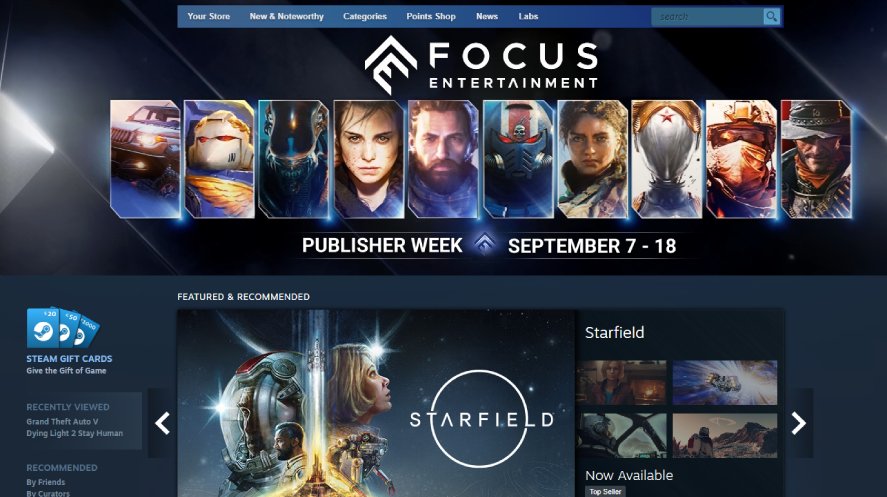
Pros and Cons
Pros:
- Massive user base.
- Extensive marketing tools and community features.
- Regular sales events increase visibility.
Cons:
- High competition.
- 30% revenue share to Valve.
Submission Process
Publishing on Steam involves several steps:
- Register as a Steamworks partner: Create a Steamworks account and pay the submission fee.
- Prepare your game: Ensure your game meets Steam’s technical and content guidelines.
- Upload your game: Use the Steamworks SDK to upload your game build.
- Configure store page: Create an engaging store page with compelling visuals and descriptions.
- Submit for review: Steam will review your game for compliance.
- Launch: Once approved, you can set a release date and publish your game.
Marketing Strategies on Steam
- Utilize Steamworks tools: Leverage Steam’s marketing tools, including visibility rounds, developer broadcasts, and community hubs.
- Participate in sales and events: Engage in Steam’s seasonal sales and events to boost visibility.
- Build a community: Use the Steam Community Hub to interact with players, gather feedback, and create a loyal fan base.
Itch.io
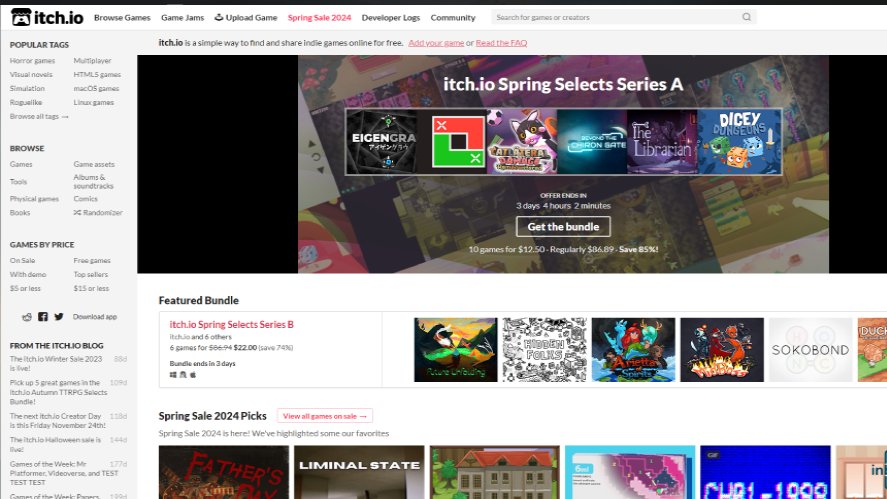
Pros and Cons
Pros:
- Flexible revenue share.
- Indie-friendly platform.
- Strong community support.
Cons:
- Smaller user base compared to Steam.
- Limited marketing tools.
Submission Process
- Create an account: Sign up on Itch.io and create your developer profile.
- Upload your game: Follow the platform’s guidelines to upload your game files and assets.
- Set pricing and revenue share: Decide on a pricing model and adjust the revenue share split.
- Customize your game page: Design an attractive game page with visuals, descriptions, and metadata.
- Publish: Once everything is set up, publish your game and make it available to the community.
Community Engagement
- Participate in game jams: Join Itch.io’s frequent game jams to increase exposure and engage with other developers.
- Use devlogs: Regularly update your devlogs to keep your audience informed about development progress and updates.
- Engage with players: Respond to comments, gather feedback, and create a strong community around your game.
Beginner’s Guide to Mobile Game Publishing
Google Play Store
Pros and Cons
Pros:
- Extensive reach to Android users.
- Various monetization options (ads, in-app purchases).
- Relatively low entry barrier.
Cons:
- High competition.
- Strict content policies.
Submission Process
- Register as a developer: Create a Google Play Developer account and pay the registration fee.
- Prepare your APK: Ensure your game meets Google’s technical and content guidelines.
- Upload your APK: Use the Google Play Console to upload your game build.
- Set up your store listing: Create a compelling store listing with visuals, descriptions, and keywords.
- Review and publish: Google will review your game for compliance before publishing it.
Monetization Options
- Paid apps: Charge users upfront to download your game.
- In-app purchases: Offer additional content or features for a fee.
- Ads: Integrate ads into your game to generate revenue.
Apple App Store
Pros and Cons
Pros:
- High-quality user base with significant spending power.
- Various monetization strategies.
- Strong brand recognition.
Cons:
- Stringent submission guidelines.
- 30% revenue share to Apple.
Submission Process
- Enroll in the Apple Developer Program: Create an account and pay the annual fee.
- Prepare your app: Ensure your game complies with Apple’s guidelines.
- Use Xcode to upload: Develop and upload your game using Xcode.
- Create a store listing: Design an engaging store page with high-quality visuals and descriptions.
- Submit for review: Apple reviews all submissions to ensure they meet their standards.
- Launch: Once approved, your game is ready for release.
Marketing Tips for iOS Games
- Leverage App Store Optimization (ASO): Optimize your game’s title, keywords, and description to improve visibility.
- Utilize Apple’s promotional tools: Participate in Apple’s features and promotions, such as App Store Today stories.
- Engage with the iOS community: Use social media and forums to connect with iOS gamers and gather feedback.
Beginner’s Guide to Game Publishing for Consoles
Pros and Cons
Pros:
- Dedicated gaming audience.
- High potential for revenue.
- Strong brand loyalty.
Cons:
- High entry barriers.
- Rigorous submission and approval processes.
- Significant development costs.
Submission Process
PlayStation:
- Register as a PlayStation developer: Create an account with Sony’s developer program.
- Develop your game: Follow Sony’s technical guidelines and use their SDKs.
- Submit for certification: Sony reviews your game to ensure it meets their standards.
- Publish: Once approved, your game can be released on the PlayStation Store.
Xbox:
- Join the ID@Xbox program: Sign up for Microsoft’s independent developer program.
- Develop your game: Use Microsoft’s development tools and follow their guidelines.
- Submit for certification: Microsoft reviews your game for compliance.
- Launch: After approval, your game can be published on the Xbox Store.
Nintendo:
- Register as a Nintendo developer: Join Nintendo’s developer program.
- Develop your game: Use Nintendo’s SDKs and adhere to their guidelines.
- Submit for approval: Nintendo reviews your game to ensure it meets their standards.
- Release: Once approved, your game can be released on the Nintendo eShop.
Developer Requirements
Each console platform has specific requirements and developer programs:
- PlayStation: Requires a PlayStation Developer account and adherence to their technical guidelines.
- Xbox: Participation in the ID@Xbox program and use of Microsoft’s development tools.
- Nintendo: Registration in Nintendo’s developer program and compliance with their guidelines.
Beginner’s Guide to Game Publishing: Popular Platforms
Epic Games Store
Pros and Cons
Pros:
- Lower revenue share (12%).
- Strong financial backing and incentives.
- Growing user base.
Cons:
- Limited community features.
- Smaller library compared to Steam.
Submission Process
- Sign up as a developer: Create an Epic Games Developer account.
- Prepare your game: Ensure your game meets Epic’s guidelines.
- Submit your game: Use the Epic Games Store Developer Portal to upload your game.
- Review and approval: Epic reviews your game for compliance.
- Publish: Once approved, your game is ready for release.
Kongregate and Newgrounds
Pros and Cons
Pros:
- Supportive communities for indie developers.
- Revenue-sharing opportunities.
Cons:
- Smaller user bases.
- Limited monetization options.
Submission Process
Kongregate:
- Create an account: Sign up on Kongregate’s developer portal.
- Upload your game: Follow the platform’s guidelines to upload your game.
- Set up monetization: Decide on ad revenue sharing or in-game purchases.
- Publish: Once ready, publish your game to the community.
Newgrounds:
- Sign up as a developer: Create a Newgrounds account.
- Prepare your game: Ensure your game meets Newgrounds’ standards.
- Upload and publish: Upload your game and make it available to the Newgrounds community.
Beginner’s Guide to Game Publishing on Social Media and Web-Based Platforms
Using Platforms like Facebook and Web Browsers
Publishing games on social media and web-based platforms can provide unique opportunities and challenges. These platforms can offer viral potential and direct engagement with users, but they also come with limitations in terms of game complexity and monetization.
Pros:
- Viral potential.
- Direct engagement with users.
- Lower development costs.
Cons:
- Limited game complexity.
- Monetization challenges.
How to Choose the Best Publishing Platform for Your First Game
Choosing the best publishing platform starts with your game type. For example, if your game is a small prototype, Itch.io can be a good first step because it lets you test ideas, collect feedback, and build early interest. However, if your game is more polished and ready for a commercial launch, Steam or Epic Games Store may offer stronger long-term opportunities.
Next, think about your audience. Casual players may prefer mobile or browser games, while PC players often search for new games on Steam, Epic Games Store, and community platforms. Console players, on the other hand, usually expect a more polished experience, stable performance, and controller-friendly gameplay.
Finally, consider your budget and timeline. Some platforms are easier for beginners, while others require more technical preparation, certification, or marketing assets. Therefore, the best platform is not always the biggest one. Instead, it is the platform that matches your game, audience, resources, and launch goals.
Marketing Tips for Your Beginner’s Guide to Game Publishing
Utilizing Social Media
Social media platforms are powerful tools for marketing your game. Create engaging content, run targeted ads, and interact with your audience to build a strong online presence.
Building a Community
Building a community around your game is crucial for long-term success. Use forums, social media groups, and in-game chat features to create a loyal player base.
Influencer and Streamer Collaborations
Collaborating with influencers and streamers can significantly boost your game’s visibility. Reach out to popular content creators and offer them early access or exclusive content to share with their audiences.
Paid Advertising Options
Consider using paid advertising options such as Google Ads, Facebook Ads, and sponsored posts on gaming websites to reach a broader audience and drive downloads.
Post-Publishing Considerations
Gathering and Utilizing Feedback
No beginner’s guide to game publishing is complete without discussing post-launch strategies. Feedback is vital for identifying areas of improvement and planning updates.
Regular Updates and Content
Regularly updating your game with new content, features, and bug fixes keeps players engaged and attracts new users. Plan a post-launch content roadmap to maintain interest.
Handling Reviews and Criticism
Positive reviews can boost your game’s visibility, while negative feedback can provide valuable insights for improvement. Respond to criticism constructively and show your commitment to improving the player experience.
Conclusion
This Beginner’s Guide to Game Publishing gives new developers a practical starting point for releasing their first game in 2026. By comparing platforms, understanding your audience, and planning your launch strategy early, you can avoid common publishing mistakes and make better decisions.
However, choosing a platform is only one part of the process. You also need strong store assets, clear pricing, community engagement, and post-launch updates. Because of this, beginners should treat publishing as an ongoing strategy instead of a one-time release step.
In the end, the best publishing path depends on your game, your goals, and your players. Therefore, take time to research each platform, prepare your launch materials, and keep improving your game after release.
Loading survey...