
Welcome to Gamespublisher.com, your trusted resource for game developers and publishers. This guide explains how to choose the right game engine for your project.
A game engine can shape your workflow, visuals, performance, and final player experience. Therefore, choosing the right one is an important step in game development.
The best engine should match your game type, team size, budget, and technical goals. In this guide, we will compare popular engines, key features, pricing models, and real game examples.
Understanding Game Engines
What Are Game Engines?
Game engines are software frameworks that help developers build and manage games. They include tools for graphics, physics, sound, animation, scripting, and asset handling.
Instead of creating every system from scratch, developers can use a game engine to speed up production. As a result, teams can focus more on gameplay, design, and player experience.
A strong engine also helps keep the development process organized. This is useful for solo developers, indie teams, and large studios.
The Evolution of Game Engines
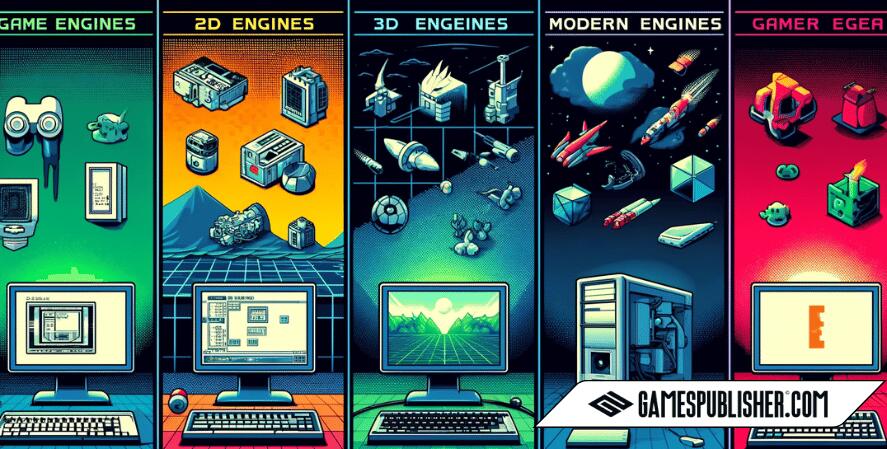
Game engines have evolved significantly, from simple 2D frameworks to sophisticated 3D engines. Early engines, such as those used in the 1980s, laid the groundwork for modern engines by offering basic rendering capabilities. The 1990s saw the advent of 3D engines, with significant milestones such as the release of id Tech and Unreal Engine, which revolutionized the gaming industry. Today, engines have continued to evolve, incorporating advanced features such as real-time ray tracing, AI integration, and support for virtual reality (VR) and augmented reality (AR).
Criteria for Choosing a Game Engine
Technical Capabilities
Technical features are one of the most important factors when choosing a game engine. These features affect visuals, performance, physics, lighting, and platform support.
For example, Unreal Engine is often used for high-end 3D games because it has strong rendering tools. Meanwhile, Unity is flexible enough for 2D games, mobile games, VR projects, and 3D simulations.
Before choosing an engine, developers should review their project goals. This helps them avoid tools that are too limited or too complex.
Community and Support
A strong community can make game development easier. Developers often need tutorials, documentation, forums, plugins, and troubleshooting help.
Unity and Unreal Engine both have large communities. Because of this, new developers can find many guides and learning resources.
Godot also has a growing open-source community. This makes it a strong option for developers who want flexibility and community-driven support.
Pricing and Licensing
Pricing can also affect your choice of game engine. Some engines are free, while others use subscriptions, royalties, or paid licenses.
Unity offers free and paid plans depending on the developer’s needs. Unreal Engine uses a royalty-based model for some commercial projects. On the other hand, Godot is open source and has no licensing fees.
Because every project has a different budget, developers should check the latest pricing before starting production.
Popular Game Engines Among Developers
Unity
Unity is a popular choice among developers due to its user-friendly interface, versatility, and strong community support. Its ability to cater to both indie developers and professional studios makes it a versatile engine for a wide range of projects.
Unity’s robust asset store, coupled with its comprehensive documentation and tutorials, enables developers to create diverse games efficiently.
Popular games developed using Unity include “Pokémon Go”, “Monument Valley”, and “Kerbal Space Program”.
Unreal Engine
Unreal Engine is known for its powerful graphics rendering capabilities, strong asset library, and broad adoption among professional studios. It has been used in various game genres, particularly AAA games, due to its ability to create photorealistic graphics and immersive experiences.
The engine’s Blueprint visual scripting system also simplifies game development, making it accessible to developers with varying levels of programming expertise.
Notable games developed with Unreal Engine include “Fortnite”, “Gears of War”, and “Street Fighter V”.
Godot
Godot is an open-source game engine that offers ease of use and is suitable for both 2D and 3D game development. Its growing community contributes to its ecosystem, offering extensive documentation and support.
Godot’s node-based system provides a straightforward workflow, making it an excellent choice for indie developers and smaller studios.
Games like “Deponia”, “The Interactive Adventures of Dog Mendonça & Pizzaboy”, and “Escoria” are examples of projects made with Godot.
Quick Comparison Table: Best Game Engines for Developers
| Game Engine | Best For | Main Strength | Good For Beginners? | Pricing Notes |
|---|---|---|---|---|
| Unity | 2D, 3D, mobile, indie, and VR games | Flexible development tools and large asset store | Yes | Free and paid plans are available |
| Unreal Engine | AAA games, 3D worlds, and realistic visuals | High-end graphics and Blueprint visual scripting | Moderate | 5% royalty applies after $1M lifetime gross revenue for eligible games |
| Godot | Indie games, 2D games, and open-source projects | Free, lightweight, and flexible | Yes | Free and open source under the MIT license |
| GameMaker Studio | 2D games and fast prototypes | Simple workflow for 2D development | Yes | Paid plans may apply |
| RPG Maker | Story-based RPGs | Easy RPG creation tools | Yes | Paid license usually applies |
| CryEngine | High-end 3D visuals | Strong rendering features | Moderate | Licensing terms may vary |
This table gives developers a quick way to compare each game engine. However, the best choice still depends on the project’s scope, budget, platform, and team experience.
Other Notable Engines
Other engines like CryEngine, RPG Maker, and GameMaker Studio have unique strengths and specific use cases.
CryEngine is known for its advanced rendering capabilities, making it suitable for visually stunning games such as “Crysis” and “Prey”.
RPG Maker specializes in creating role-playing games, with titles like “To the Moon” and “Yume Nikki” demonstrating its capabilities.
GameMaker Studio provides a comprehensive platform for creating 2D games, highlighted by successful titles such as “Undertale” and “Hyper Light Drifter”.
Best Game Engine by Project Type
Different projects need different tools. Therefore, developers should choose a game engine based on the type of game they want to build.
Best Game Engine for 2D Games
Unity, Godot, and GameMaker Studio are strong choices for 2D games. Unity offers many tools and assets, while Godot is lightweight and free. GameMaker Studio is also useful for developers who want a simple 2D workflow.
Best Game Engine for 3D Games
Unreal Engine is a strong option for 3D games with realistic visuals. Unity is also a good choice for 3D projects, especially when developers need flexibility across many platforms.
Best Game Engine for Mobile Games
Unity is often a popular choice for mobile game development because it supports many platforms. It also works well for casual games, puzzle games, simulation games, and mobile RPGs.
Best Game Engine for Indie Developers
Godot, Unity, and GameMaker Studio are useful for indie developers. They offer easier learning paths, helpful communities, and tools that support smaller teams.
Best Game Engine for AAA Games
Unreal Engine is commonly used for high-end games. Its rendering tools, visual scripting system, and production features make it suitable for larger studios.
Successful Games and Their Engines
Choosing the right game engine is crucial as it can significantly influence the development process and the final quality of the game. Here are some examples of successful games and the engines they used, illustrating the strengths and capabilities of each engine.
Unreal Engine: Fortnite
“Fortnite” is a testament to the capabilities of Unreal Engine, particularly in creating high-quality, engaging multiplayer experiences. Developed by Epic Games, “Fortnite” utilizes Unreal Engine’s advanced graphics rendering and robust asset library to deliver a dynamic battle royale game that has captivated millions worldwide.
The engine’s scalability allows for constant updates and innovations, keeping the game fresh and engaging.
Unity: Hollow Knight

“Hollow Knight,” developed by Team Cherry, showcases Unity’s flexibility across different gaming genres. This game stands out as a masterful blend of 2D platforming and intricate gameplay mechanics, all beautifully rendered in a hand-drawn art style that highlights Unity’s support for diverse artistic expressions.
Unity’s extensive tools and supportive community have enabled a relatively small team to create a rich, immersive world that has received widespread acclaim and built a strong fanbase.
Unreal Engine: Street Fighter V
“Street Fighter V” demonstrates Unreal Engine’s prowess in the fighting game arena, leveraging its powerful visual capabilities to create fluid, high-impact combat sequences.
Capcom’s choice of Unreal Engine for this installment allowed them to significantly enhance the game’s visual effects and character animations, ensuring a visually stunning and responsive gameplay experience that meets the expectations of a competitive fighting game community.
Unity: Kerbal Space Program
“Kerbal Space Program” is another remarkable example of what can be achieved with Unity. This simulation game offers a deep, engaging exploration of spaceflight mechanics, allowing players to build and manage their own spacecraft.
The use of Unity enabled the developers at Squad to implement complex aerodynamic and orbital physics in a user-friendly interface, making it accessible yet challenging for space enthusiasts.
Common Mistakes When Choosing a Game Engine
Many developers choose a game engine based only on popularity. However, the most popular engine is not always the best fit for every project.
One common mistake is choosing an engine that is too complex. This can slow down small teams and solo developers. Another mistake is ignoring platform support. For example, a mobile game needs tools that support mobile performance and optimization.
Developers should also review pricing, licensing, asset support, and learning resources before starting production. As a result, they can avoid costly changes later in development.
Developer Testimonials
Game developers often provide valuable insights into their experiences with different game engines, emphasizing how their choice of engine has impacted their workflow, creativity, and the final quality of their products.
Unity: Empowering Indie Developers
Many indie developers have expressed their appreciation for Unity, citing its user-friendly interface and extensive community support as pivotal factors in their development process. For instance, a developer from a small studio shared, “Unity’s streamlined workflow and its massive asset store have allowed us to bring our game ideas to life with limited resources and manpower.
The ability to easily find solutions or get help from other developers on forums and through tutorials has significantly sped up our development time and eased many challenges typical of indie game development.”
Unreal Engine: A Favorite Among Professional Studios
On the other hand, professional studios often highlight the advantages of Unreal Engine, particularly praising its cutting-edge graphics capabilities and comprehensive feature set.
A lead developer at a well-known gaming studio noted, “Unreal Engine’s powerful rendering engine and detailed environmental effects have enabled us to push the boundaries of what’s possible in AAA games. Its robustness allows for high fidelity graphics and complex simulations, which are crucial for creating immersive worlds and realistic characters.”
Godot: A Versatile Choice for Creatives
Developers also commend open-source engines like Godot for their flexibility and community-driven enhancements. A game designer using Godot mentioned, “The openness and modular design of Godot have been game changers for our projects.
It’s incredibly empowering to be able to modify the engine to our specific needs and then share those developments with the community, fostering an environment of collaboration and innovation.”
GameMaker Studio: Streamlining 2D Game Development
Furthermore, GameMaker Studio receives particular praise for its efficiency in developing 2D games. An experienced developer focusing on 2D platformers shared, “GameMaker Studio’s intuitive drag-and-drop interface and robust scripting language have made it incredibly easy to prototype and iterate on our game designs quickly.
This has not only enhanced our creative freedom but also reduced our go-to-market time, which is invaluable in the competitive indie game landscape.”
Frequently Asked Questions
Unity, Godot, and GameMaker Studio are good choices for beginners. They offer learning resources, simple workflows, and strong community support.
Godot, Unity, and GameMaker Studio are strong options for 2D games. Godot works well for lightweight projects, while Unity offers more tools and assets.
Unreal Engine is a strong choice for realistic 3D graphics. It includes advanced rendering tools that support high-quality environments and characters.
It depends on the project. Unity is flexible for many game types, while Unreal Engine is stronger for high-end 3D visuals. Godot is also worth considering for free and open-source development.
Conclusion
Choosing the right game engine is an important part of game development. It affects your workflow, visuals, performance, and final game quality.
Unity is a strong choice for flexible projects. Unreal Engine works well for high-end 3D games. Godot is a good option for indie developers who want an open-source engine.
However, the best choice depends on your project goals. Before making a final decision, test different engines and compare their tools. With the right engine, developers can build better games and improve their production process.
Loading survey...